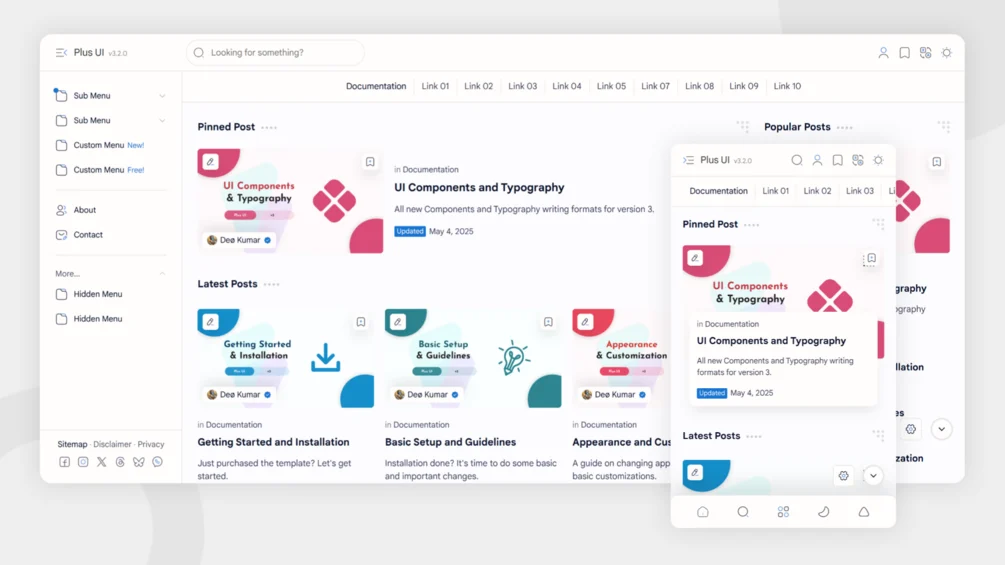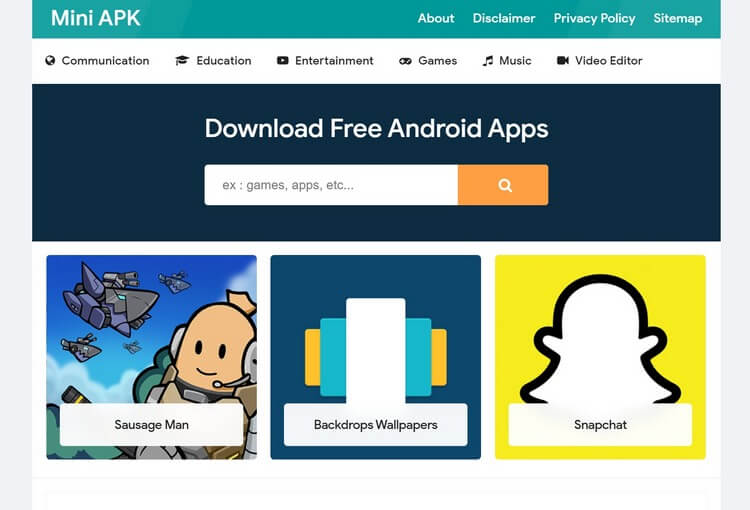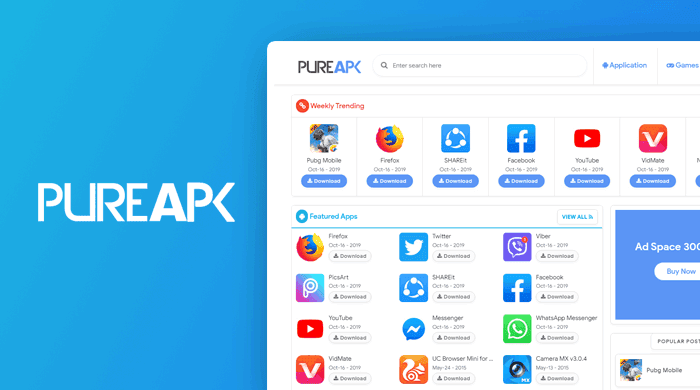
Are you looking for a Blogger Template that is specially designed for APK and app download websites? Choosing the right template is important because it affects your website’s speed, user experience, SEO performance, and overall credibility.
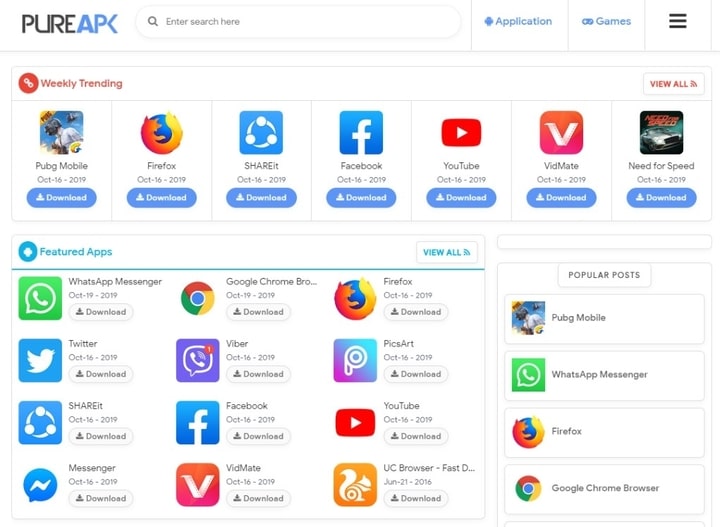
The Pure APK is a popular Blogger template created for APK sharing, app review, and gaming websites. It offers a clean layout, mobile-friendly design, and several built-in features that help organize app-related content more effectively. For bloggers who want to create a professional-looking APK website, understanding the strengths and limitations of this template can help them make a better decision.
In this post, you will learn everything about Pure APK — its features, how to download and install it, and basic to advanced customizations. By the end, you’ll know exactly if this template is the right choice for your blog and how to get started quickly.
What Is Pure APK Blogger Template?
| Field | Details |
|---|---|
| Name | Pure APK Blogger Template |
| Latest Version | 1.0 (Original) |
| Release Date | October 19, 2019 |
| Developer/Author | MS Design |
Pure APK is a Blogger template designed for APK sharing, app download, and Android gaming websites. It provides a clean and organized layout that helps bloggers display app-related content in a user-friendly way.
The template includes useful features such as a responsive design, download buttons, and SEO-Friendly elements, making it easier for visitors to browse and download apps on any device.
Its main purpose is to help APK bloggers create a professional-looking website without requiring advanced coding or design skills. This makes the Pure APK a popular choice for app and gaming blogs on the blogger.com platform.
Features of Pure Apk Blogger Template
| Feature | Free Version | Premium Version |
|---|---|---|
| Responsive Design | Yes | Yes |
| SEO Friendly Structure | Yes | Yes |
| Mobile-Friendly Layout | Yes | Yes |
| Fast Loading Speed | Yes | Yes |
| Featured Apps Section | Yes | Yes |
| Featured Games Section | Yes | Yes |
| Download Buttons | Yes | Yes |
| Social Share Buttons | Yes | Yes |
| Breadcrumb Navigation | Yes | Yes |
| Numbered Pagination | Yes | Yes |
| AdSense Ready Layout | Yes | Yes |
| Custom 404 Error Page | No | Yes |
| Footer Credit Removal | No | Yes |
| Premium Support | No | Yes |
| Advanced Customization Options | No | Yes |
| Regular Template Updates | No | Yes |
Download Pure Apk Blogger Template (Free)
You can download the free version of Pure APK Blogger Template or purchase the premium version if you want extra features and removed credits.
Simply click the button above according to your choice. If you choose the free version, you may need to wait a few seconds and the download will start automatically.
Also Checkout:
Installation Guide for Pure APK Blogger Template
Installing the Pure APK Blogger template is quick and easy. Just follow these simple steps below.
- Extract ZIP File: After downloading, extract the ZIP file and find the .xml template file (usually named something like Pure-APK.xml).
- Open Blogger Dashboard: Log in to your Blogger account, go to your blog, and click on Theme from the left menu.
- Backup Current Theme: First, click on Backup/Restore at the top right, then download your current theme as a backup. This is important in case you want to restore it later.
- Upload XML File: Click Upload button, select the Pure APK.xml file from your computer, and click Upload.
- Verify Installation: Once uploaded, the template will be applied automatically. Visit your blog’s live website to check if the new design appears correctly.
That’s it! Your Pure APK template is now installed. You can start customizing it from the Theme editor.
Customizing Pure APK Blogger Template
After installing the template, you can customize it to match your website’s branding and requirements. Start with the basic settings, then move on to advanced options if needed.
Basic Customizations
1. Change the Logo
Go to Layout and find the Header section. Upload your website logo or replace the existing one.
2. Edit Site Title and Description
Navigate to Settings → Basic and update your blog title and description to reflect your website’s purpose.
3. Update the Navigation Menu
Open the Layout section and edit the menu widget. Add, remove, or update menu links such as Home, Apps, Games, and Contact Us.
4. Add Social Media Links
Locate the social media widget in the Layout section and add links to your Facebook, X (Twitter), Instagram, Telegram, or other social profiles.
5. Change Colors
If the template supports color customization, go to Theme → Customize and adjust colors to match your brand.
6. Manage Widgets and Sidebar Sections
Use the Layout page to add, remove, or rearrange widgets such as Popular Posts, Labels, Recent Posts, and Featured Apps.
7. Edit Footer Content
Open the footer widget from the Layout section and update copyright text, links, or other footer information.
Advanced Customizations
1. Add Custom CSS
Go to Theme → Customize → Advanced → Add CSS and add custom styles to change fonts, spacing, colors, or other design elements.
2. Edit Template Layout Sections
Use the Layout page to modify homepage sections, featured content areas, and widget positions according to your needs.
3. Configure Ad Placement Areas
Place your ad codes in the available ad sections provided by the template to display advertisements in strategic locations.
4. Add Tracking Codes
Insert tools such as Google Analytics or other tracking codes through Theme → Edit HTML or Blogger settings where supported.
5. Customize SEO Settings
Update meta tags, descriptions, breadcrumbs, and other SEO-related settings if the template includes built-in SEO options.
6. Edit Custom Scripts
Advanced users can add or modify JavaScript code through the template settings to add extra functionality.
7. Optimize Mobile Performance
Test your website on mobile devices and remove unnecessary widgets or scripts to improve loading speed and user experience.
These customizations will help you personalize the Pure APK template according to your APK blog’s requirements. Start with basic changes and move to advanced ones as you get comfortable. Always save a backup before editing the code.
Frequently Asked Questions (FAQs)
Q1: Is the Pure APK Blogger template completely free?
Yes, the basic version is completely free to download and use. Premium versions are available if you want to remove footer credits and extra features.
Q2: Does Pure APK template work well on mobile phones?
Yes, it is fully responsive and mobile-friendly. Your website will look good and load properly on smartphones and tablets.
Q3: Can I remove the footer credits?
In the free version, footer credits are usually present. You can remove them by editing the HTML code or by purchasing the premium version.
Q4: Is this template good for SEO?
Yes, Pure APK is SEO-friendly with fast loading speed, breadcrumbs, and basic schema markup already included.
Q5: What should I do if the template doesn’t look right after installation?
First, clear your browser cache. If the issue continues, restore your backup theme and upload the XML file again.
Q6: Can I use Pure APK for other types of blogs?
It works best for Android APK, app, and game download blogs. You can also use it for general tech blogs.
Conclusion
Pure APK is best suited for beginners and intermediate bloggers who want to run an Android app or game download website without spending money or dealing with complex code. Overall, it is a reliable and practical free choice. I recommend starting with the free version to test it on your blog — it delivers good value for its intended purpose.