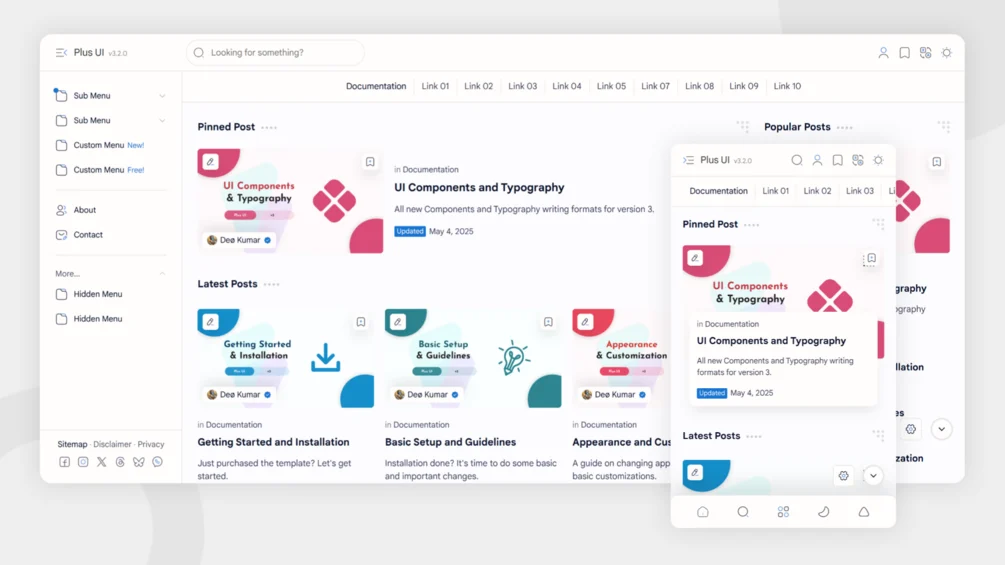
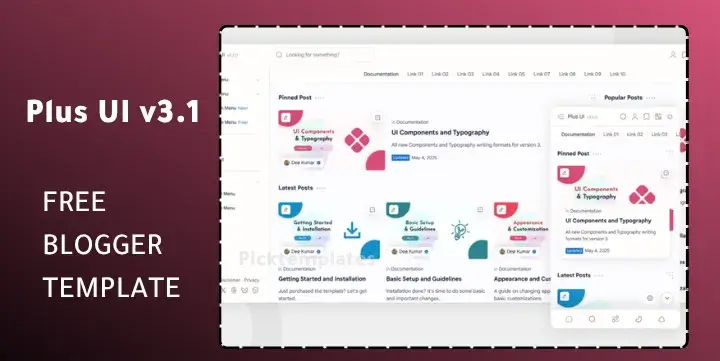
Plus UI Blogger template is a fast, modern theme that solves common blogging problems like slow loading, messy layouts, and tricky ad setups. With AMP support, PWA features, and responsive design, it helps your site load quickly and look professional on any device.
In this post, we’ll explore everything about Plus UI — from its features to download and installation steps, along with customization tips ranging from basic tweaks to advanced settings. By the end, you’ll know how to use this template to improve your blog’s design, boost SEO, and make it more user‑friendly for your audience.
What Is Plus UI Blogger Template?
The Plus UI Blogger template is a modern theme made for Google’s Blogger platform. It is designed to give blogs a fast, responsive, and SEO‑friendly look that works smoothly on mobile and desktop. Its main purpose is to help bloggers build professional sites without needing advanced coding skills.
| Field | Details |
|---|---|
| Name | Plus UI Blogger Template |
| Latest Version | v3.2.0 |
| Release Date | August 13, 2025 |
| Developer/Author | Blogger‑Templates Team |
People use the Plus UI Blogger template because it makes blogs load faster, look cleaner, and perform better in search results. It’s useful for beginners who want a ready‑made design and for experienced bloggers who need a flexible layout. Overall, it helps improve user experience, SEO, and monetization, making it an important choice for many publishers.
Features of Plus Ui Blogger Template
It shows which options are available in the free version and which are unlocked in the premium version. This way, you can easily decide whether the free version is enough for your blog or if you need the premium upgrade for advanced tools
| Feature | Free Version | Premium Version |
|---|---|---|
| Responsive Design | Yes | Yes |
| Dark Mode 2.0 | Yes | Yes |
| SEO Optimization | Yes | Yes |
| Fast Loading Speed | Yes | Yes |
| Hybrid AMP Support | No | Yes |
| Progressive Web App (PWA) | No | Yes |
| Safelink System | No | Yes |
| Anti-AdBlock Script | No | Yes |
| GDPR Cookie Consent | Yes | Yes |
| Lazy Loading (Images/Ads) | Yes | Yes |
| Advanced Mega Menu | No | Yes |
| Customizable Widgets | Yes | Yes |
| Maintenance Mode | No | Yes |
| Multiple Comment Systems (Disqus/Facebook) | Yes | Yes |
| Premium Support & Updates | No | Yes |
| AdSense Optimized Layouts | Yes | Yes |
Download Plus Ui Blogger Template & Live Demo
Before downloading the Plus UI Blogger template, you can first check how it looks and feels. By clicking the Live Demo button below, you’ll be able to see the design, layout, and overall appearance in action. This helps you decide if the template matches your style before using it.
When you’re ready, you can download either the Free Version or the Premium Version directly from the buttons below. If you choose the free version, the download may take a few seconds to start automatically. If it doesn’t begin, simply click the button again.
Also Checkout: Pure APK Blogger Template Free & Premium Download Latest Version
Also Checkout: Mini APK Blogger Template Free & Premium Download (2026)
How to Install Plus Ui Theme into your Blogger
Installing the Plus UI Blogger template is easy and can be done in just a few steps. Follow this guide to set it up on your blog.
- Extract ZIP File
After downloading, extract the ZIP file on your computer. Inside, you’ll find the XML template file. - Open Blogger Dashboard
Log in to your Blogger account and go to your blog’s dashboard. - Go to Theme Section
From the left menu, click on Theme to access your current blog design. - Backup Current Theme
Before making changes, click the Backup/Restore option and save your existing theme. This ensures you can restore it if needed. - Upload XML File
Click Upload Theme, then select the XML file from the extracted folder and upload it. - Apply Template Automatically
Once uploaded, the new template will be applied to your blog automatically. - Verify Installation
Visit your blog in a new tab to check if the Plus UI Blogger template has been installed successfully.
Customization Guide
After installing the Plus UI Blogger template, you can customize it to match your blog’s style and needs. Customization makes your site look unique, improves usability, and helps you connect better with your readers. Below are simple steps divided into Basic Customizations and Advanced Customizations.
Basic Customizations
- Change Logo: Go to Layout → Header section → Upload your logo image.
- Edit Title & Description: In Settings, update your blog’s title and description.
- Set Navigation Menu: Open Layout → Edit menu gadget → Add or remove links.
- Add Social Media Links: In Layout, find the social icons widget → Insert your social media URLs.
- Manage Widgets & Sidebar: Use Layout to add, remove, or rearrange widgets.
- Edit Footer Content: Scroll to the footer widget in Layout → Update text or links.
- Change Colors & Fonts: Go to Theme → Customize → Adjust colors, background, and fonts.
Advanced Customizations
- Add Custom CSS: Go to Theme → Edit HTML → Insert your CSS code for extra styling.
- Edit Layout or Code: Use the HTML editor to adjust structure or add new sections.
- Configure Ads: Place AdSense or custom ad codes in designated ad slots.
- Add Tracking Codes: Insert Google Analytics or other tracking scripts before
</head>. - Customize SEO Settings: Edit meta tags, schema markup, and search preferences for better visibility.
- Add Custom Scripts: Insert third‑party integrations like chat widgets or pop‑ups.
- Optimize Mobile Layout: Test your blog on mobile devices → Adjust responsive settings in Theme → Customize.
Frequently Asked Questions (FAQs)
Is Plus UI Blogger Template free to use?
Yes, anyone can download and use the free version. A premium version is also available with extra features.
What is the difference between Plus UI Free and Premium versions?
The free version includes basic tools like responsive design and SEO optimization. The premium version adds advanced features such as AMP support, PWA, Safelink, Anti‑AdBlock, and more customization options.
How do I download Plus UI Blogger Template?
You can download both the free and premium versions directly from the buttons provided in the post. If the download doesn’t start automatically, click the button again.
How do I install Plus UI Blogger Template on Blogger?
Extract the ZIP file, locate the XML template, go to the Blogger dashboard → Theme section → Backup current theme → Upload the XML file. The template will apply automatically.
Is Plus UI Blogger Template SEO friendly?
Yes, it is built with SEO optimization to help your blog perform better in search results.
Final Verdict
Overall, the Plus Ui Template is a solid choice for bloggers who want a professional look without needing coding skills. The free version is suitable for personal blogs or small projects, while the premium version is better for those who want advanced features like AMP, PWA, and ad management.
This template is best suited for new bloggers, content creators, and small business owners who want a fast, SEO‑friendly, and mobile‑responsive design. Advanced users can also benefit from its customization options and extra features.